
Imagine it’s 10:00 PM on a Tuesday in Hanover, and instead of relaxing, you’re staring at a screen full of uncategorized transactions and wondering why your bank balance doesn’t match your gut feeling. It’s a common scene for many of us who started a business to follow a passion, not to become full-time data entry clerks. When you first set up Quickbooks Online for Small Business, it likely felt like just another subscription on your credit card statement rather than the financial sanctuary it’s supposed to be.
I know that feeling of tax-season anxiety all too well because I’ve been in your shoes, balancing the books while trying to serve my own clients. You deserve to know exactly where your hard-earned profit is going without the headache of messy spreadsheets or the fear of accidentally mixing personal expenses. In this guide, I’ll show you how to transform QuickBooks Online from a confusing chore into a powerful tool for clarity and professional relief. We’ll walk through choosing the right plan for your specific needs, how to organize your records, and the simple steps to ensure you’re always ready for tax day.
Key Takeaways
- Understand why moving beyond manual spreadsheets is the first step toward reclaiming your time and mental energy.
- Find out how to choose the right Quickbooks Online for Small Business plan so you only pay for the features that actually help you grow.
- Identify the common DIY pitfalls, like mixing personal and business funds, that create expensive headaches during tax season.
- Learn how to use automation to slash your manual data entry, allowing you to get back to the work you truly love.
- Discover how a professional partner can help you move from financial chaos to a clear understanding of where your profit is going.
Why QuickBooks Online is the Foundation of Small Business Financial Clarity
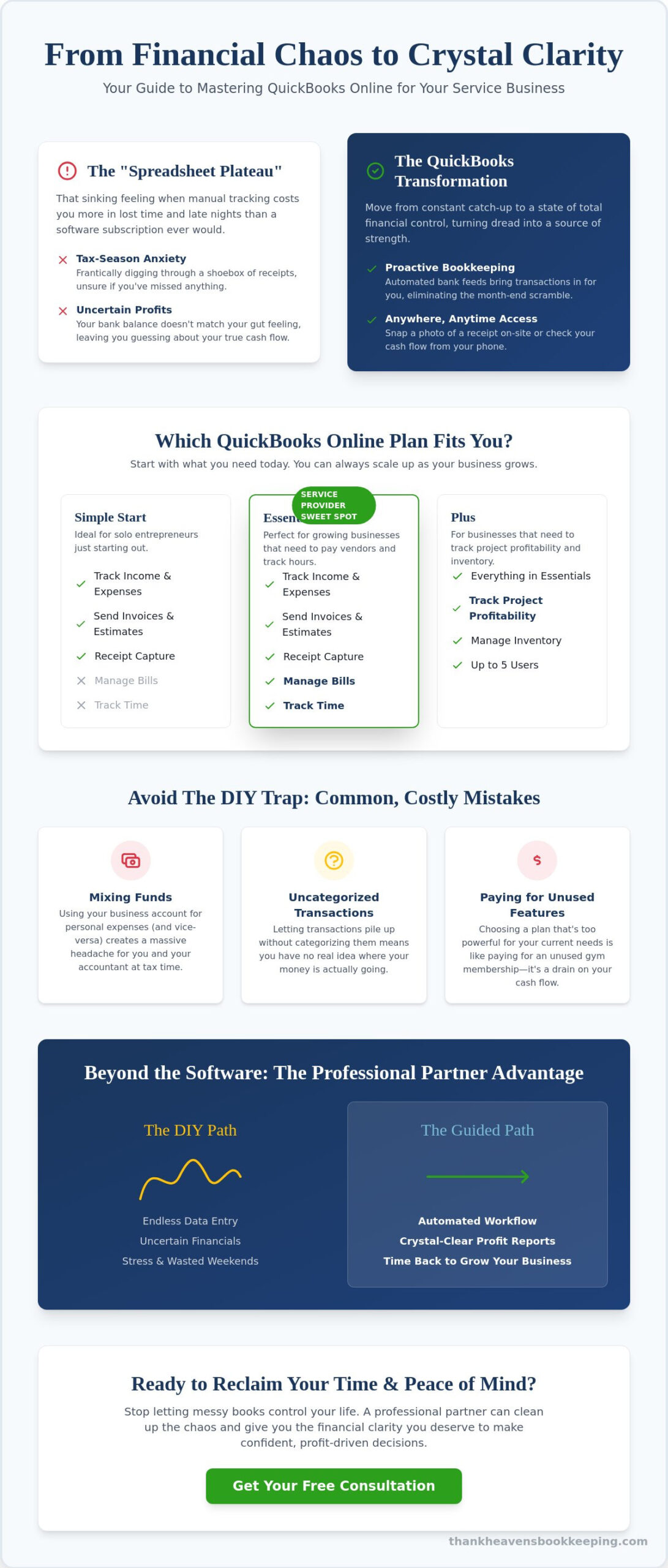
Most of us started our businesses with a simple spreadsheet and a lot of hope. It works when you only have a few clients to track. Eventually, every successful owner hits what I call the “spreadsheet plateau.” This is the point where manual tracking actually starts costing you more in lost time and mental energy than a software subscription ever would. QuickBooks Online was built to solve exactly this kind of administrative weight. It isn’t just a digital ledger; it is a cloud-based ecosystem designed to automate the heavy lifting of financial tracking. When you implement Quickbooks Online for Small Business, you’re moving from a state of constant catching up to a place of total clarity. Our bookkeeping services are designed to help you make this transition smoothly.
There’s a profound emotional shift that happens when you stop guessing about your bank balance. When your data is organized and accessible, that heavy weight on your shoulders finally starts to lift. You move from the chaos of “I think I’m making money” to the confidence of “I know exactly where my profit is.” For service providers across Hanover and York, this real-time access is the difference between a sleepless night and a peaceful evening with family. It turns your finances from a source of dread into a source of strength.
The Shift from Reactive to Proactive Bookkeeping
We’ve all had that moment of panic before an appointment with an accountant, digging through a literal or digital shoebox of receipts. Proactive bookkeeping changes the game entirely. By utilizing automated bank feeds, your transactions flow directly into the software, nearly eliminating that month-end scramble. Seeing your cash flow in real-time allows you to make decisions based on facts, not fear. This is what true financial empowerment feels like for a business owner. If you’ve fallen behind and the mess feels too big to handle, our clean-up services can help reset your foundation. We’ll help you start looking forward instead of backward.
Cloud Access: Your Books Anywhere, Anytime
One of the biggest perks of Quickbooks Online for Small Business is the freedom it provides. If you’re out on a job site in Gettysburg, you can snap a photo of a receipt on your phone and it’s instantly recorded. You don’t have to wait until you get back to your desk or worry about losing that scrap of paper. This cloud-based setup also means we can work together seamlessly without me ever needing to step into your office. You get the support of a professional partner while maintaining the flexibility you need to run your day. Plus, you can rest easy knowing your data is protected by Intuit’s enterprise-level security. It’s about creating a sanctuary for your data so you can focus on your craft.
Navigating the Options: Which QuickBooks Online Plan Fits Your Business?
Selecting the right version of Quickbooks Online for Small Business shouldn’t feel like a high-stakes guessing game. I’ve spoken with so many owners who signed up for the most expensive version because they thought it was the “safest” choice; they later realized they were paying for features they never touched. It’s much better to start with what you actually need today. You can always scale up as your revenue grows and your team expands. As you look to manage your finances more effectively, matching your software to your actual workflow is the smartest first step you can take.
Identifying your “must-have” features early on prevents the frustration of realizing a key tool is missing right when you need it most. For instance, if you plan to track 1099 vendors or need to manage time tracking for a small crew, you’ll want to look beyond the basic tier. The beauty of this ecosystem is its scalability. You aren’t locked into a choice forever. You can start small, get your feet under you, and upgrade the moment your business complexity demands it. This flexibility ensures that your financial system grows alongside your dreams.
Simple Start vs. Essentials: The Service Provider Sweet Spot
For many solo entrepreneurs in York or Gettysburg, the Simple Start plan offers exactly what’s needed to track income and expenses. However, you’ll likely find yourself leaning toward the Essentials plan once you start managing more than just yourself. The biggest shift here is the ability to manage accounts payable. If you need to track unpaid bills or give access to up to three users, Essentials becomes your sanctuary. It’s the ideal choice for small service teams that need to collaborate without sharing a single login.
QuickBooks Plus and Beyond: When Complexity Calls
As your business matures, your questions about money usually get more specific. You stop asking “Do I have money?” and start asking “Which of my services is actually the most profitable?” This is where the Plus plan shines. It introduces class tracking and project profitability. These features allow you to see exactly how much you’re making on a specific job versus another. This level of detail is a game changer for service firms that want to scale intentionally.
The Plus plan is also a vital tool if you work with several independent contractors. It helps you stay on top of 1099-NEC requirements by tracking payments throughout the year. If the thought of tracking contractors and deadlines makes your head spin, you can learn about our 1099 processing services to see how we take that off your plate. Finding the right fit is about creating a system that gives you peace of mind, not a higher monthly bill. If you aren’t sure which tier aligns with your goals, we can always chat about your specific needs to find the right path forward together.
The Reality of the DIY Trap: Common QuickBooks Mistakes That Cost You Money
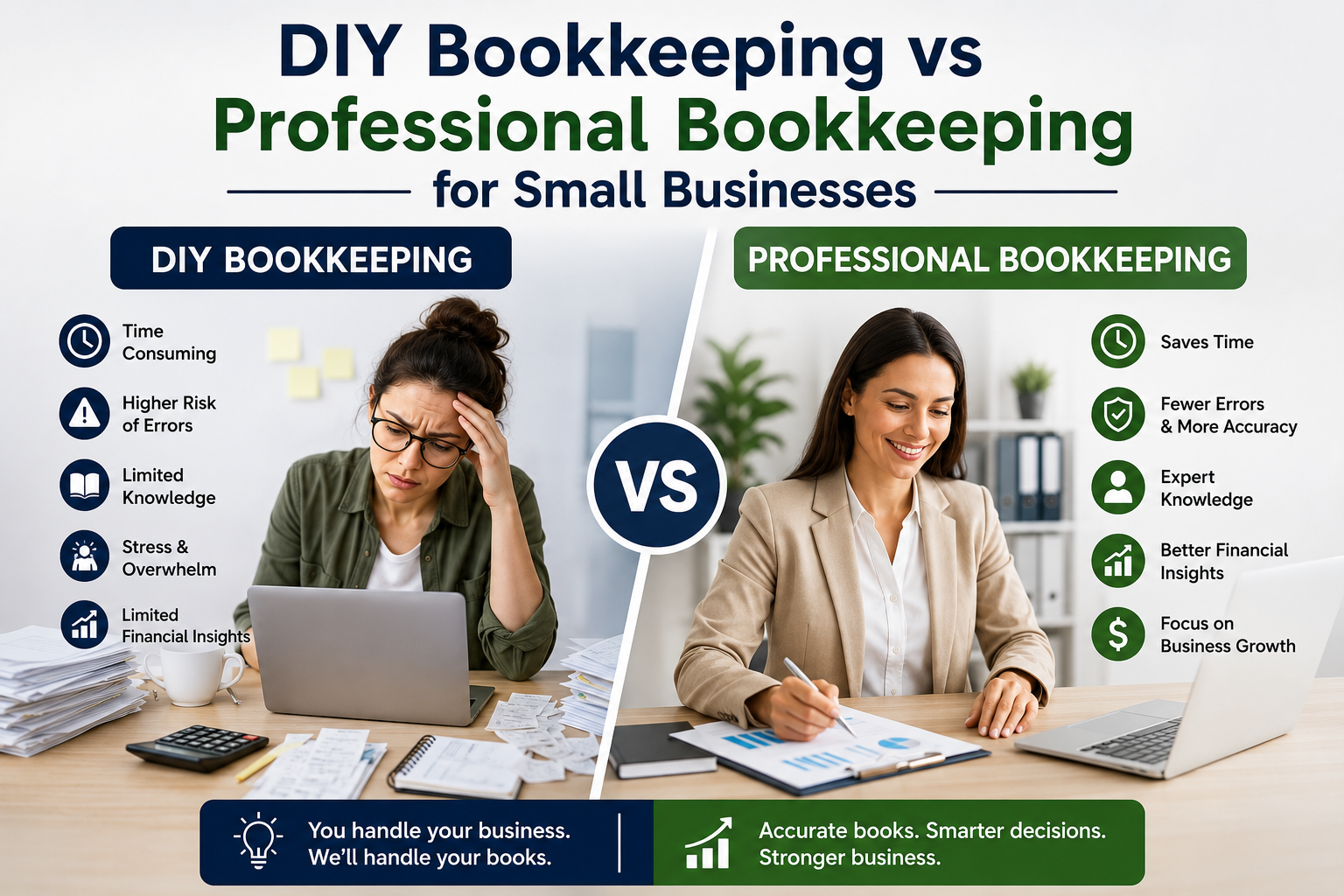
Setting up Quickbooks Online for Small Business is a brave first step toward taking control of your future. It’s an investment in your peace of mind. However, I’ve seen many well-meaning owners in Hanover and York fall into what I call the DIY trap. You start with the best intentions, but without a background in accounting, the software can quickly become a source of stress rather than a solution. A comprehensive review of QuickBooks Online often highlights its powerful automation, but those tools only work if they’re configured correctly from the start. It is perfectly okay that you aren’t a software expert; you started your business to serve your clients, not to spend your weekends wrestling with a digital ledger.
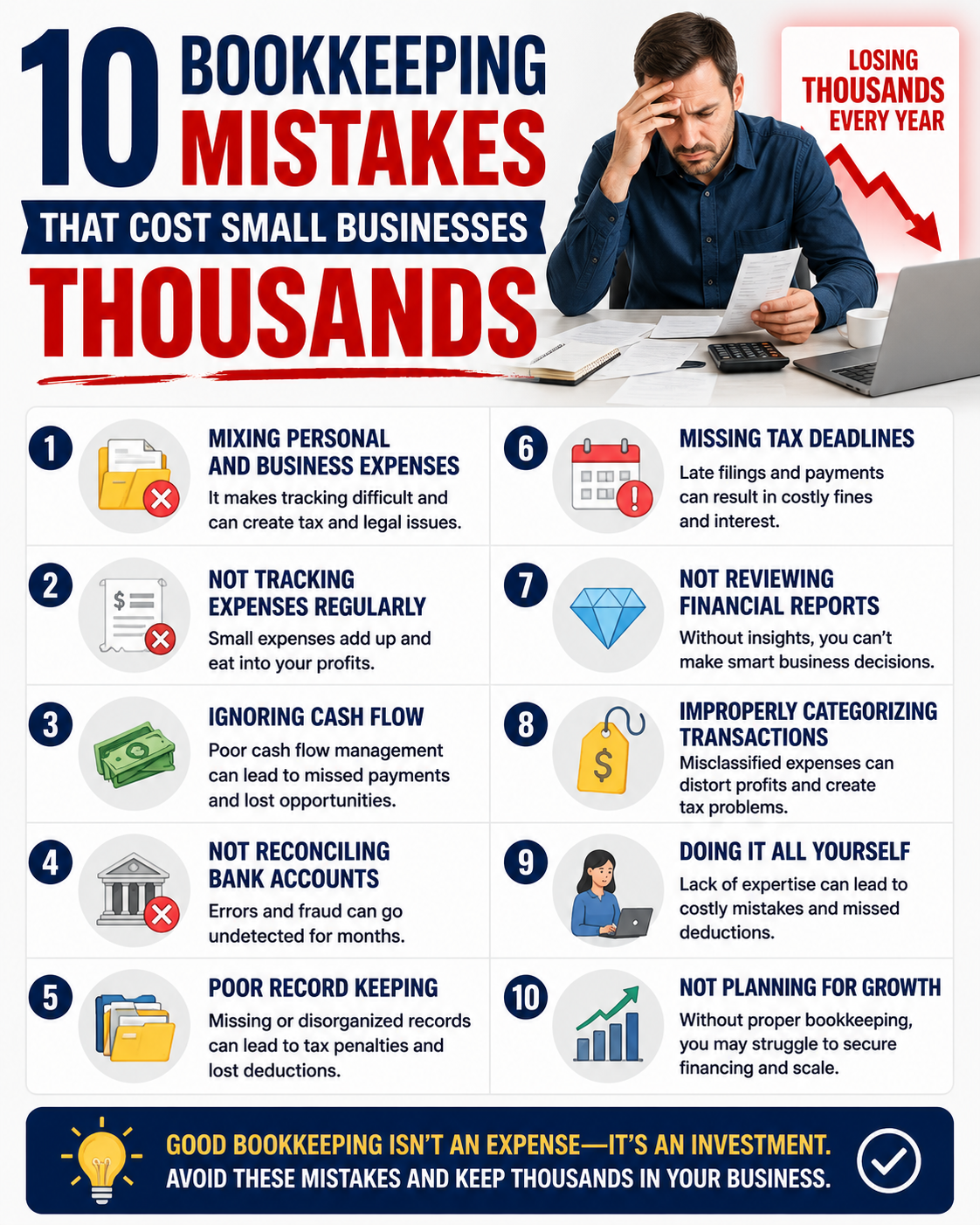
The most frequent mistake I encounter is the mixing of personal and business bank accounts within the software. When you buy groceries with your business card or pay a business utility from your personal account, the “truth” of your finances gets buried. This co-mingling makes it nearly impossible to see your actual profit and can turn a standard tax season into a nightmare. It’s a common hurdle, and acknowledging it is the first step toward a cleaner, more professional financial system.
The “Uncategorized” Black Hole
QuickBooks often tries to help by suggesting categories for your transactions. If you aren’t sure where something goes, it’s tempting to dump it into “Uncategorized Expense” or an “Ask My Accountant” folder. Over time, these folders become a black hole where your true business costs disappear. This ripple effect means your Profit and Loss statements don’t reflect reality, making it hard to know if you can afford that new piece of equipment or a new hire. If your current books feel like a tangled mess, you can see how our cleanup services can fix your existing books and give you a fresh start.
The False Security of the Bank Balance
One of the most dangerous habits is relying solely on the balance you see on your dashboard. That number can be a “ghost” balance because it doesn’t account for checks that haven’t cleared or bills you’ve entered but haven’t paid yet. Professional bank and credit card reconciliations are the only way to reveal the actual truth behind the numbers. Without this step, you’re essentially flying blind. I encourage you to seek a comprehensive bookkeeping guide to understand these concepts more deeply. Gaining this clarity is the turning point where you move from financial chaos to professional empowerment.
Streamlining Your Workflow: Essential QuickBooks Features for Service-Based Businesses
Once you’ve cleared the hurdles of the “DIY trap” we discussed earlier, it’s time to let the software actually start working for you. The true magic of Quickbooks Online for Small Business lies in its ability to take over the repetitive tasks that drain your energy. Instead of spending your Sunday afternoons hunched over a desk in Hanover, you can lean on a few specific features designed to give you your time back. These tools aren’t just bells and whistles; they are the gears that turn a manual chore into a streamlined, professional operation.
To move from chaos to clarity, I recommend focusing on these five essential steps:
- Step 1: Automating Bank Feeds. This is the heavy lifter of the ecosystem. By connecting your business accounts, you can reduce manual data entry by up to 80 percent. The software pulls in transactions automatically, leaving you to simply review and approve.
- Step 2: Customizing the Chart of Accounts. Don’t settle for the generic setup. We want your categories to reflect the specific services you provide, whether you’re a consultant in York or a contractor in Gettysburg.
- Step 3: Setting Up Recurring Invoices. If you have monthly retainers or standard service fees, let the system handle the billing. Consistency is the secret to a healthy, predictable cash flow.
- Step 4: Utilizing the Mobile App. Use your phone to track mileage and capture receipts the moment they land in your hand. It’s much easier than hunting for scraps of paper at the end of the month.
- Step 5: Generating Monthly Financial Reports. These aren’t just for tax time. Looking at your profit by service or project each month tells you exactly where your business is thriving.
Mastering Accounts Receivable and Payable
Getting paid shouldn’t be a struggle. QuickBooks simplifies the process by allowing you to include integrated payment links directly on your invoices. When you make it easy for your clients to pay with a click, your bank balance stays healthy. On the flip side, managing your own bills within the platform ensures you never miss a vendor deadline or pay a late fee. If managing the “money in” side of things still feels like a burden, you can explore our accounts receivable management to see how we can handle the follow-ups for you.
Integrating Payroll for a Seamless Ecosystem
When you add payroll to Quickbooks Online for Small Business, you’re creating a unified financial sanctuary. Your payroll data flows directly into your general ledger, which means your reports are always accurate without any manual adjustments. This integration also makes it much easier to collect W-9 information from contractors directly through the platform, significantly reducing your 1099 stress. If you’re ready to stop worrying about tax deadlines and employee payments, check out our reliable payroll services for small businesses. We’d love to discuss how we can simplify your workflow and give you the professional relief you’ve been searching for.
Beyond the Software: How Professional QuickBooks Management Unlocks Growth
QuickBooks is a powerful engine, but even the best engine needs a skilled driver to reach its destination. While Quickbooks Online for Small Business provides the necessary framework, a professional partner acts as your guide to ensure that engine is actually taking you where you want to go. I like to think of this as the “Peace of Mind” dividend. If you could reclaim 10 extra hours every month by handing off your data entry and reconciliations, what would you do with that time? You might finally tackle that expansion project in York or simply make it home in time for dinner in Hanover without a laptop in tow.
When your books are meticulously handled throughout the year, tax season stops being a season of dread. You hand over a clean, organized file to your tax professional, which makes their job faster and often results in lower preparation fees. At Thank Heavens Bookkeeping, we aim to be the sanctuary where your numbers are treated with the care they deserve. We want you to feel the weight lift off your shoulders, knowing your paperwork is tax-ready and your foundation is solid.
The Power of a Professional Setup and Training
Getting your system right from the very first day is one of the best investments you can make for your future. It often saves thousands of dollars in future cleanup fees that stem from simple setup errors or incorrect account mapping. We provide one-on-one training tailored specifically to your service business workflow, ensuring you understand exactly what you’re looking at when you log in. There is a beautiful, transformative moment when a client stops fearing their dashboard and starts using it as a reliable roadmap for their success.
Monthly Bookkeeping: Your Competitive Advantage
Consistent monthly bookkeeping isn’t just about staying compliant; it’s about having a competitive edge. Regular financial reporting allows you to make smarter, data-driven decisions about when to hire your next team member or when to invest in new equipment for your Gettysburg job site. You gain the reassurance of knowing a meticulous advocate is watching your back-end operations, looking for the small details you might miss while you’re busy serving your own customers. If you’re ready to move from chaos to professional clarity, contact us today for a sanctuary from financial stress and let’s start growing your business together.
Reclaiming Your Time and Financial Peace
You’ve worked incredibly hard to build your business, and your financial system should support that growth, not hinder it. We’ve explored how choosing the right plan and avoiding common DIY pitfalls can turn Quickbooks Online for Small Business into a sanctuary of clarity rather than a source of stress. By automating your bank feeds and organizing your chart of accounts, you can finally stop guessing and start knowing exactly where your profit is going each month.
If your current books feel like a mountain you can’t climb alone, I’m here to help. As a Certified QuickBooks Online ProAdvisor specialized in account cleanups, I bring an empathetic, small-business-first approach to every client in Hanover and the surrounding areas. You don’t have to carry the burden of messy finances by yourself anymore. My goal is to handle the details that feel daunting so you can focus on the work that brings you joy.
Gain Clarity and Peace of Mind with Professional QuickBooks Support
Let’s work together to create a system that lets you breathe easier and focus on the passion that started it all. You’ve built something special, and I’m here to ensure your numbers reflect the success you’ve earned every step of the way.
Frequently Asked Questions
Is QuickBooks Online better than the Desktop version for small businesses in 2026?
QuickBooks Online is the clear choice for most owners because Intuit has officially moved away from its desktop software. Support for QuickBooks Desktop 2023 ended in May 2026; the 2024 version was the final release. Switching to the cloud gives you the freedom to check your numbers from anywhere and ensures you’re using a supported, secure system.
How much does QuickBooks Online actually cost for a service-based business?
Pricing depends on the features you need to feel organized. As of mid-2026, the Simple Start plan is $38 per month, while the Essentials plan is $75 per month. Many growing service businesses choose the Plus plan at $115 per month for better project tracking. If you need payroll, that starts at an additional $45 per month plus per-employee fees.
Can I set up QuickBooks Online myself, or should I hire a professional?
You can certainly start the process yourself, but a professional setup acts as a sanctuary against future errors. Many owners find that hiring an expert to map their accounts correctly from day one saves them from expensive cleanup fees later. It’s about the relief of knowing your foundation is solid so you can focus on your actual work.
What happens if I make a mistake in my QuickBooks Online reconciliations?
Mistakes in reconciliations are common and can always be corrected. If your bank balance doesn’t match your software, it often points to a duplicate entry or a missed transaction. We specialize in finding these small details that others find daunting, helping you clear out those “ghost” balances and restore your financial clarity.
Does QuickBooks Online handle 1099 filings for independent contractors?
Yes, the platform makes it simple to track and file 1099-NEC forms for your contractors. You can collect W-9 information directly through the software, which keeps everything organized in one place. This feature is a huge time-saver when January rolls around, ensuring you meet federal deadlines without the usual last-minute panic.
Is my financial data safe and secure in the QuickBooks cloud?
Your data is protected by the same level of encryption used by major banks. Cloud storage is actually often safer than keeping files on a single office computer in Hanover that could be lost, stolen, or damaged. Intuit handles the backups and security updates automatically, providing you with a secure environment for your business records.
Can QuickBooks Online integrate with my existing business bank accounts?
Yes, it connects seamlessly with most major and local banks in the York and Gettysburg areas. This integration is the core of using Quickbooks Online for Small Business effectively. Once connected, your transactions flow into the system automatically, which significantly reduces the time you spend on manual data entry every week.
How do I switch from a spreadsheet to QuickBooks Online without losing data?
You can import your lists of customers, vendors, and products directly from a spreadsheet to get started quickly. While you won’t typically move every individual historical cell, we can help you enter opening balances to ensure your new books are accurate. It’s a transformative moment when you leave the clutter of spreadsheets behind for a professional, automated system.

Article by
Joshua Parsley
Joshua Parsley is the founder of Thank Heavens Bookkeeping, where he helps small business owners organize their finances, understand their numbers, and gain more time back to focus on growing their business.
Specializing in bookkeeping support for service-based businesses, Joshua works with business owners who feel overwhelmed by messy books, cash flow confusion, and falling behind on financial organization. His approach focuses on simplifying bookkeeping, improving financial clarity, and helping owners make smarter business decisions with confidence.
Drawing from both personal experience and hands-on work with small businesses, Joshua creates practical educational content around bookkeeping, QuickBooks Online, profit improvement, and financial organization for entrepreneurs.
Through Thank Heavens Bookkeeping, his mission is to help hardworking business owners reduce stress, stay organized, and build stronger businesses through reliable bookkeeping support.