
Key Takeaways
- Stop digging through shoeboxes by using automated bank feeds to keep your transaction history organized and current.
- Avoid the common “DIY trap” where business and personal expenses get mixed, creating a major headache when tax season arrives.
- Learn how to use quickbooks online as a strategic hub for profit clarity instead of just a place to store data.
- Transition from a reactive mindset of fixing errors to a proactive approach that keeps your books clean and ready for growth.
- Gain the peace of mind that comes from knowing your financial records are accurate, organized, and professionally managed.
What is QuickBooks Online? The Financial Hub for Modern Entrepreneurs
Think of your business finances like a physical space. For many owners in Hanover and York, that space currently feels like a cluttered attic. You know there’s valuable stuff in there, but finding a specific receipt or knowing your exact profit margin feels impossible. QuickBooks Online acts as the renovation that turns that attic into a bright, organized studio. It isn’t just a digital checkbook; it’s a cloud-based ecosystem designed to capture every financial heartbeat of your business in real time.
As a cloud-based version of the widely recognized QuickBooks Online software, this platform allows you to access your data from a laptop at a coffee shop in Gettysburg or from your phone while on a job site. The real magic, however, is the emotional shift it provides. You move from “guessing” if you can afford a new hire to “knowing” exactly what your cash flow looks like for the next three months. That clarity is where true peace of mind begins.
The Difference Between QBO and Traditional Spreadsheets
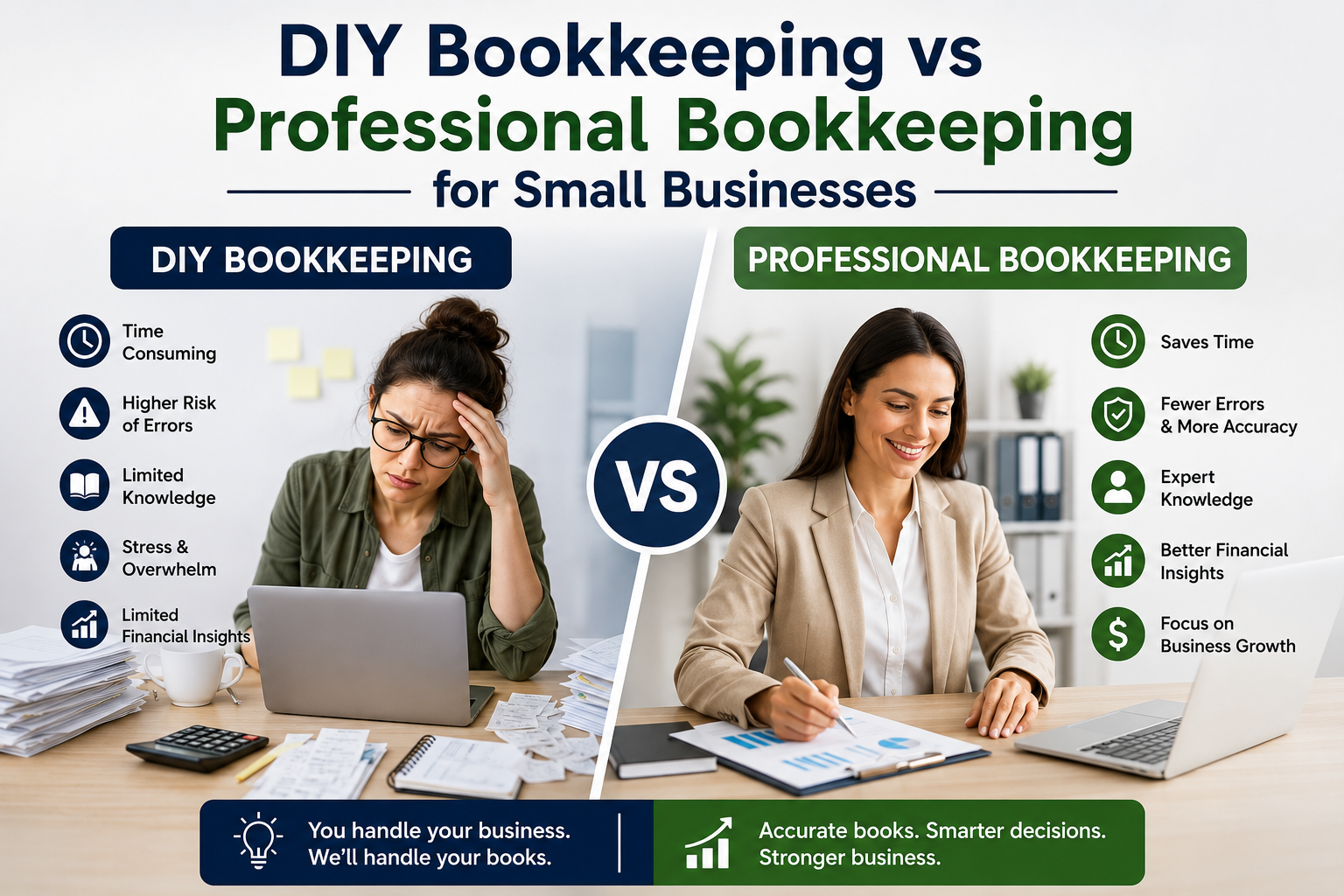
Many entrepreneurs start with spreadsheets because they feel familiar and free. The reality is that manual tracking has a high hidden cost. Every hour you spend typing in dates and amounts is an hour you aren’t serving clients or growing your revenue. Spreadsheets are static files that grow outdated the moment you close them. In contrast, quickbooks online uses automation to pull in data from your bank accounts automatically. It turns hours of data entry into minutes of simple review, reducing the risk of the “oops” moments that lead to tax season panic.
Why Service-Based Businesses Thrive on the QBO Platform
If you run a service business, your “product” is often your time and expertise. This platform is built specifically to handle those nuances. You can track billable hours, send professional invoices before you even leave a client’s driveway, and see which projects are actually making you money. It’s a system that scales with you. Whether you’re a solopreneur or managing a growing team, the platform adapts to your needs. Plus, it makes collaboration effortless. You can securely share access with a partner providing monthly bookkeeping services, allowing an expert to keep an eye on the details while you stay focused on your craft. This partnership ensures your books stay clean without you having to become an overnight accounting expert.
Essential QuickBooks Online Features for Service Providers
Opening quickbooks online for the first time can feel like stepping into a cockpit when you just wanted to drive a car. You don’t need every single button to get where you’re going. Focus instead on the tools that offer immediate relief from the administrative weight you’ve been carrying. At the heart of it all is your Chart of Accounts. Think of this as the master filing cabinet for your business. When this foundation is organized, every other feature starts to make sense, turning a chaotic screen of numbers into a clear map of your success.
Automated Bank Feeds and Categorization
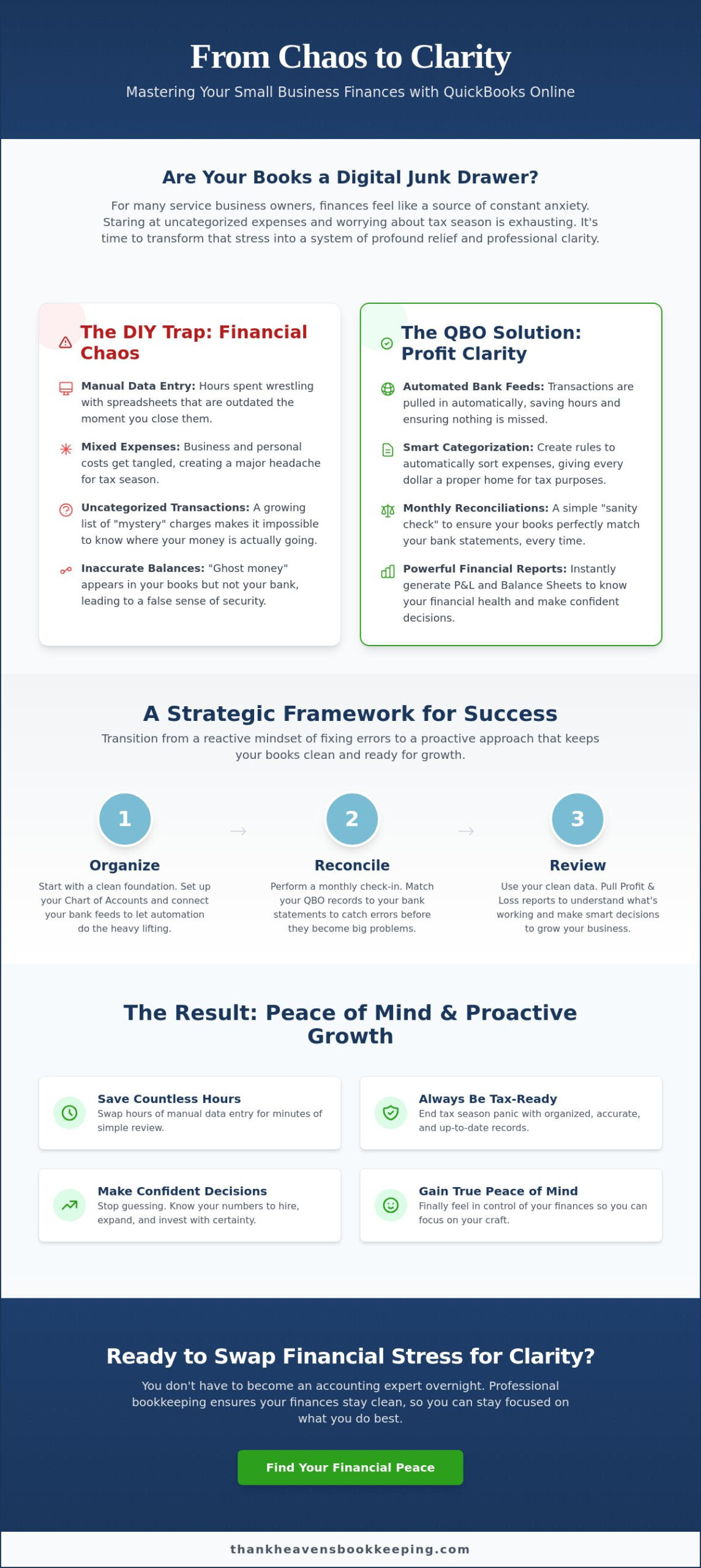
The “shoebox of receipts” is a classic small business headache, but it doesn’t have to be your reality. One of the most helpful QuickBooks Online features is the automated bank feed. By securely connecting your business accounts, the software pulls in every transaction as it happens. You can even create “Rules” to teach the system that a recurring charge from a specific vendor always belongs in a certain category. Transaction categorization is the process of assigning every dollar a specific home for tax purposes. This automation saves you from hours of manual entry and ensures nothing slips through the cracks.
The Critical Role of Monthly Reconciliations
Reconciliation is simply a sanity check to ensure your software matches your actual bank statement down to the penny. If you skip this step, you’ll eventually deal with “ghost” money; funds that appear on your screen but don’t exist in your bank account. This lead to expensive errors during tax season and a false sense of security about your cash flow. There is a deep sense of peace that comes from seeing a perfectly balanced account at the end of the month. If you’re feeling unsure about how to keep these balances straight, reaching out for a professional check-in can prevent small errors from becoming big problems.
Financial Reporting: P&L and Balance Sheets
Once your data is categorized and reconciled, you can finally use reports to make brave business decisions. Your Profit and Loss (P&L) statement tells the story of your income versus your expenses over a specific period. It shows you exactly where your money is going and if your services are priced for profit. The Balance Sheet acts as a total health check, showing what your business owns and what it owes to others. These reports give you the clarity to know when it’s truly safe to invest in new equipment or hire your next team member.
The DIY Trap: Common QuickBooks Online Mistakes to Avoid
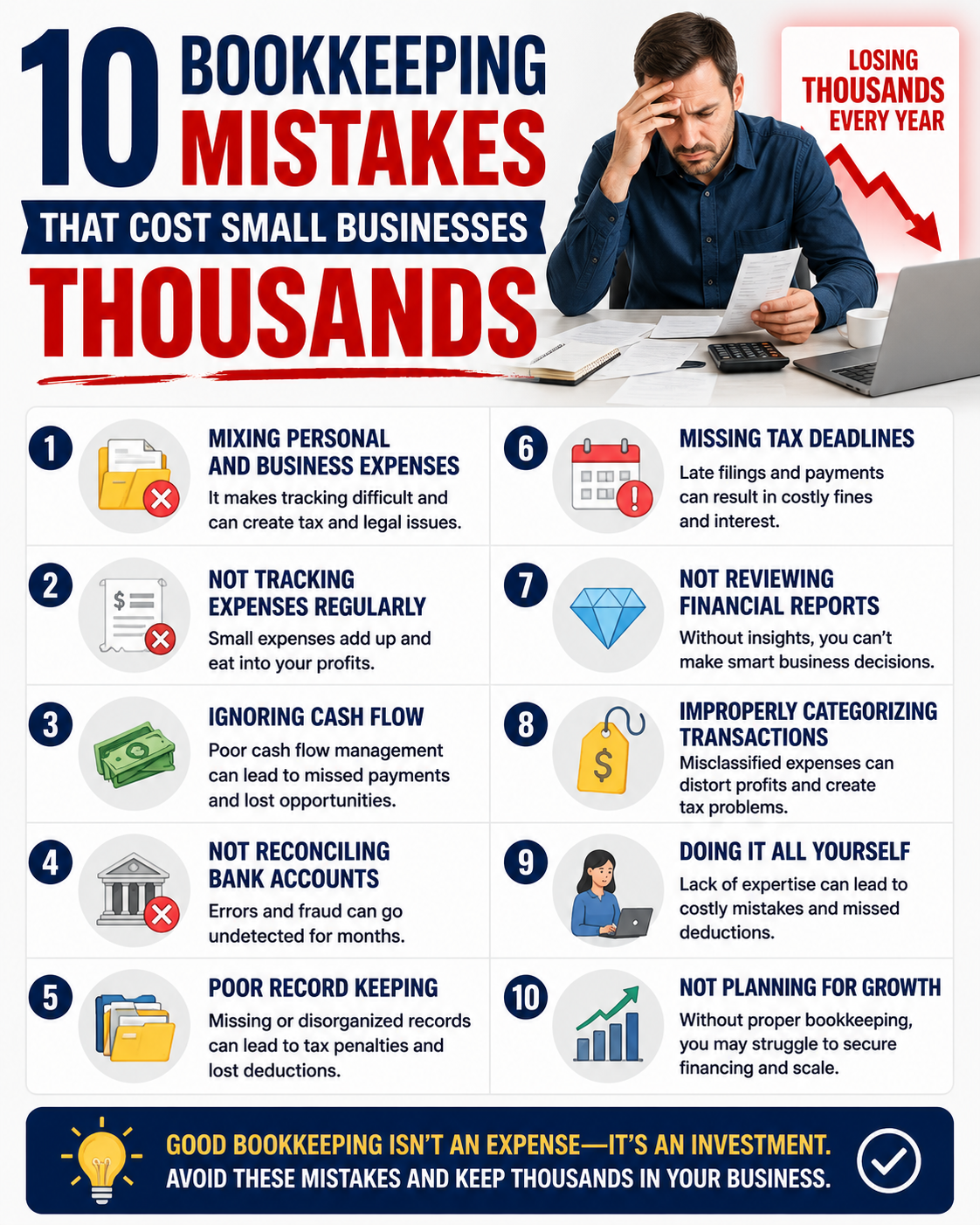
“I’ll just handle it this weekend.” It’s a phrase I said to myself countless times when I ran my own service business. But weekends turn into months, and suddenly your quickbooks online dashboard looks less like a tool and more like a puzzle with missing pieces. It’s completely valid to feel stressed when the software feels like a burden rather than a benefit. Many owners fall into the “DIY Trap” because they believe bookkeeping is just simple data entry. In reality, it’s about accuracy and strategic organization. Without a clear process, you end up in the “Tax Season Panic,” that frantic week in April spent hunting for receipts and wondering why your numbers don’t add up.
Mixing Personal and Business Expenses
Co-mingling is the technical term for a very common financial nightmare. It happens when you use your business card for a quick grocery run or pay for a client’s lunch with your personal account. While it seems harmless in the moment, it’s a major red flag for the IRS and makes it incredibly difficult to see your true profit. Untangling a year’s worth of personal coffee runs from actual business supplies is a tedious process that drains your energy and time. The simplest way to achieve QuickBooks Online success is to follow one golden rule: one card, one purpose. Keep your business and personal lives in separate lanes to maintain a clean, professional trail for your finances.
Incorrect Opening Balances and Duplicate Transactions
Another frequent headache for service providers is seeing “ghost” money in their records. This often happens because of double-counting. For example, if you manually enter an invoice payment but also “add” the same transaction from your bank feed, the software thinks you got paid twice. It’s incredibly frustrating to see a high balance on your screen only to realize your actual bank account is much lower. These historical errors can snowball over time, making your financial reports unreliable for decision-making. If you’ve reached a point where you don’t trust your own data, professional cleanup services can provide the transformative reset your business needs. We specialize in finding these duplicates and fixing opening balances, moving you from a state of chaos back to professional clarity.
A Strategic Framework for QuickBooks Online Success
Mastering your finances isn’t about a one-time setup; it’s about shifting your mindset from “fixing problems” to “maintaining health.” Think of your bookkeeping like a garden. If you only pull weeds once a year, the task is overwhelming and exhausting. But if you spend just a few minutes each week tending to it, the process becomes peaceful and productive. By adopting a proactive framework, you can transform quickbooks online from a source of confusion into a reliable partner that supports your growth in York, Hanover, and beyond.
This journey is much easier when you don’t walk it alone. Partnering with a certified ProAdvisor ensures that your software is configured specifically for the way you do business. The goal is to have tax-ready paperwork available at a moment’s notice, giving you the freedom to focus on your clients rather than your filing cabinets.
The 5-Step Professional Setup Process
Getting started correctly is half the battle. A professional setup prevents the “DIY Trap” we discussed earlier and sets you up for long-term clarity. Here is the framework we recommend for every service-based business:
- Step 1: Subscription Selection. Choose the right level for your needs. As of the May 2026 updates, Simple Start begins at $35/month, but many service providers find the Plus level ($110/month) necessary for detailed project tracking.
- Step 2: Customizing the Chart of Accounts. We tailor your categories to match your specific industry, ensuring every expense has a logical home.
- Step 3: Secure Connections. We link your bank and credit card feeds so transactions flow in automatically, reducing manual entry errors.
- Step 4: Accounts Receivable Setup. We configure your accounts receivable processes so you can send professional invoices and get paid faster.
- Step 5: The Sanity Check. We run a test period to ensure all data is flowing correctly and your opening balances are accurate.
Establishing a Monthly Bookkeeping Rhythm
Consistency is the secret to financial peace. We recommend a “Weekly Check-in” where you spend 15 minutes categorizing recent transactions while they are still fresh in your mind. This prevents a mountain of work from building up at the end of the month. Then, during the “Monthly Close,” we perform reconciliations and generate reports. This rhythm ensures your quickbooks online data is always current, eliminating the stress of year-end “catch-up” work and letting you make decisions based on real-time facts.
If you’re ready to move from financial chaos to a predictable, calming rhythm, get in touch with us today to discuss your professional setup.
Finding Financial Peace: Why Professional Management Matters
Imagine the next time your tax preparer asks for your year-end reports. Instead of that familiar pit in your stomach, you feel a cool sense of confidence. You open quickbooks online, click a few buttons, and send over a clean, reconciled Profit and Loss statement in seconds. This moment is about more than just software. It represents the transformative power of moving from financial chaos to professional clarity. When your records are managed with intention, you reclaim the mental space needed to focus on your “zone of genius,” the very reason you started your business in the first place.
Reclaiming your time is the greatest gift you can give your business. As an owner in the Hanover or York area, your energy is best spent serving your clients and dreaming up your next big move. You shouldn’t have to spend your evenings untangling bank feeds or worrying if you’ve categorized a transaction correctly. Professional management turns your financial data into a tool for growth rather than a source of late-night anxiety.
From Data Entry to Financial Strategy
Clean books are the window through which you see your business’s future. When you move beyond basic data entry, you start to see where your profit is actually coming from. Perhaps one specific service you offer is twice as profitable as the rest, but you couldn’t see it through the clutter. Investing in monthly bookkeeping services is an investment in this level of strategic insight. It allows you to forecast cash flow with accuracy, ensuring you’re never surprised by a lean month. You’re no longer just recording history; you’re using your data to write the next chapter of your success.
The Relief of a Sanctuary-Driven Partnership
At Thank Heavens Bookkeeping, we believe every entrepreneur deserves a sanctuary from the stress of administrative management. We understand the weight of unorganized records because we’ve been in your shoes. Our mission is to provide a calm, expert hand to lead you through the complexities of quickbooks online. We find joy in the meticulous details that others find daunting, allowing you to stay focused on your vision while we handle the back-end operations.
This partnership is a transformative moment for your business. It marks the point where you stop guessing and start knowing. We invite you to take the first step toward a lighter professional life. By trading the frustration of messy books for the relief of professional clarity, you empower your business to thrive in Gettysburg and beyond. Let’s work together to turn your finances into a source of peace and profit.
Step Into a Lighter Financial Future
You didn’t start your business to spend your weekends wrestling with software; you started it to make a difference in your community. By shifting from a reactive “DIY” approach to a proactive strategy, you turn quickbooks online into a powerful engine for your growth. Remember that clean books aren’t just for your tax preparer. They are the map that shows you exactly how to scale your service business with confidence and clarity.
As a Certified QuickBooks Online ProAdvisor, I find genuine joy in the details that often feel heavy to you. Whether you need a one-time cleanup to fix historical errors or ongoing monthly reconciliations to stay on track, my goal is to provide the professional sanctuary you need to thrive. You don’t have to carry the weight of unorganized records anymore. It’s time to trade financial anxiety for the relief of knowing your numbers are exactly where they should be.
Gain the financial clarity you deserve—schedule your QuickBooks consultation today.
Your vision for your business is worth the investment in professional clarity. Let’s work together to make your finances feel light, organized, and ready for whatever comes next.
Common Questions About QuickBooks Online
Is QuickBooks Online difficult to learn for non-accountants?
QuickBooks is designed for business owners, not just accountants, but it still has a learning curve. While the interface is intuitive, the “language” of accounting can feel overwhelming when you’re already busy. Most service providers find that once a professional handles the initial setup and provides a little education, the daily tasks become a source of relief rather than a chore. It’s about having the right foundation so you don’t feel like you’re guessing.
What is the difference between QuickBooks Online and QuickBooks Desktop?
The biggest difference is accessibility and the future of the software. QuickBooks Desktop is being phased out, with support for the 2023 version ending in May 2026. QuickBooks Online is a cloud-based platform, meaning you can check your profit from a tablet in Gettysburg or a laptop in York. It offers more automation, like AI-powered bank feeds, which saves you from the manual data entry required by the older desktop versions.
Can I fix my own QuickBooks reconciliation errors if I am already behind?
You can certainly try, but fixing historical errors when you’re months behind is often where the most stress occurs. Mistakes in reconciliation tend to snowball, leading to duplicate transactions and incorrect balances that are hard to untangle. If your books feel like a mess, a professional cleanup is usually the fastest way to gain peace of mind. We specialize in catching those “ghost” transactions so you can start fresh with data you actually trust.
How much does QuickBooks Online cost for a small service business?
As of the updated pricing implemented in May 2026, there are several tiers to fit your needs. Simple Start is $35 per month, while the Essentials plan is $75. Many service businesses choose the Plus plan at $110 per month for better project tracking, and the Advanced tier is approximately $220 to $235. While prices have increased recently, the time saved through automation often outweighs the monthly subscription cost for a growing business.
Do I still need a bookkeeper if I use QuickBooks Online?
Software is a powerful tool, but it’s not a replacement for a professional partner. QuickBooks Online can pull in data, but it doesn’t always know the “why” behind a transaction. A bookkeeper ensures that your categorization is tax-compliant and that your reports actually make sense. Think of the software as the hammer and the bookkeeper as the carpenter who ensures the house is built straight and strong.
Is my financial data safe and secure in the cloud with QuickBooks?
Yes, your data is protected by bank-level encryption and multi-factor authentication. Storing your records in the cloud is often much safer than keeping them on a single office computer that could crash or be stolen. Intuit invests heavily in security features to ensure your sensitive information remains private. This digital sanctuary allows you to focus on your vision without worrying about losing your vital financial history.
Can QuickBooks Online help me manage my 1099 contractors?
Absolutely, and this is a huge relief for service businesses that use subcontractors. The platform allows you to track payments to vendors throughout the year and collect their W-9 information digitally. When January rolls around, you won’t have to scramble to find addresses or tax IDs. We offer 1099 processing services that use this data to e-file your forms accurately and on time, keeping you compliant with the IRS.
How does QuickBooks Online make tax time easier for my CPA?
It eliminates the “shoebox of receipts” nightmare once and for all. Instead of handing over a pile of papers, you simply give your CPA a professional login to your quickbooks online account. They can pull the clean, reconciled reports they need without asking you a million questions. This efficiency often reduces your tax preparation fees because your records are already organized, balanced, and ready for filing.

Article by
Joshua Parsley
Joshua Parsley is the founder of Thank Heavens Bookkeeping, where he helps small business owners organize their finances, understand their numbers, and gain more time back to focus on growing their business.
Specializing in bookkeeping support for service-based businesses, Joshua works with business owners who feel overwhelmed by messy books, cash flow confusion, and falling behind on financial organization. His approach focuses on simplifying bookkeeping, improving financial clarity, and helping owners make smarter business decisions with confidence.
Drawing from both personal experience and hands-on work with small businesses, Joshua creates practical educational content around bookkeeping, QuickBooks Online, profit improvement, and financial organization for entrepreneurs.
Through Thank Heavens Bookkeeping, his mission is to help hardworking business owners reduce stress, stay organized, and build stronger businesses through reliable bookkeeping support.